Friday, 31 January 2014

Storing My Photographs and Sharpening for Print

Ever since completing the exercises leading up to the first assignment: ‘Workflow’ for Digital Photographic Practice, I have been keeping all my course photographs and also less serious photographs (which I still considered as important) backed-up on a separate external hard drive. I have also been keeping all of the course photographs and work on my computer, so that I have it in two separate locations.

   Furthermore, and because memory is relatively cheap these days, I have also (midway through Digital Photographic Practice) bought another external hard drive in order to archive my most important work and store the rest of my photographs in a more orderly manner. By orderly, I was referring to naming the folders conveniently so I could find the required photos if I needed to go back to them. Dating the folders was something I felt would make this process even easier. Having the work on two external hard drives meant there was less chance of both of them (and the computer) being damaged or stolen.

   I have (near the start of Digital photographic Practice) purchased a printer, which I have felt has made a startling impact with my work. This was because of the very faithful colour rendition of the prints compared to my old printer - provided I used the correct paper and settings for the printer profile. The colour rendition was very similar in my eyes to the colours on my (calibrated) computer screen and I must admit it was satisfying seeing the prints appear on the paper as I wanted them to. I was also pleased that (so far) my tutor had been quite satisfied with the prints too.


   So far as sharpening my images was concerned, I have become quite wary about over-sharpening images on jpeg files in-camera (the RAW files remain unaffected). This was because I had noticed how the over-sharpening of jpegs produced artefacts that looked unnatural (albeit at 100% on a computer screen). I was therefore very curious to discover how different degrees of sharpening affected an actual print compared to an on-screen image.

   My inkling for this exercise was that 'over'-sharpening for print would produce results that made the photographs more detailed, without being detrimental in terms of extra grain or artefacts. This inkling was due to my observation that prints seemed quite soft compared to on-screen images, even when choosing a 'low' sharpening setting option inside Lightroom 5 before print, which I had recently started doing.

Images 1 and 2 (No Sharpening and Minimal Sharpening)
   In short my inkling was not wrong and I was surprised how much sharpening could be applied before artefacts started appearing. With the first print (Image 1), I applied no sharpening and the print, I was not surprised to see, seemed soft; even in areas of detail like my subject's eyes.

   With the second print (Image 2), I decided to increase the sharpening by using the 'High' sharpening setting inside the 'Print' module's dialogue, where in the previous print 'no sharpening' had been selected. I was a bit surprised to find that the increase in detail was 'minimal' to my tastes. However, there was some more detail in the eyes when looking closely at the print. Soft skin areas were very similar to the 'no sharpening' version.

   For the third print (Image 3), I chose to increase the sharpening further by adjusting the sharpening sliders inside Lightroom's 'Develop' module to quite extreme values: including a '129' value for sharpening amount, which was more than I usually would have applied. I also applied the 'Standard' sharpening setting within the 'Print' module to further increase the sharpening effect. This time, the effect was more substantial, with extra, visible fine detail in the eyes particularly, compared to the previous two prints. Soft skin areas remained very smooth.

Image 3 (Significant Lightroom Sharpening)
   Lastly for Image 4, I decided to be very aggressive with the amount of sharpening applied, by using a different sharpening technique altogether, namely the 'high pass filter' inside Adobe Photoshop. I used a high setting of 6.6% on the filter, using the 'Overlay' blend mode on a duplicated layer from the original image, so the effect was strong (compared to the Soft Light blend mode). I also chose to apply the 'Standard' sharpening setting within the 'Print' module of Lightroom again, to further enhance detail. The reason I chose to be so aggressive with the sharpening in this final print was to see how much an effect this drastic sharpening would have on the print as the previous prints of the image had induced quite minor changes in terms of detail.
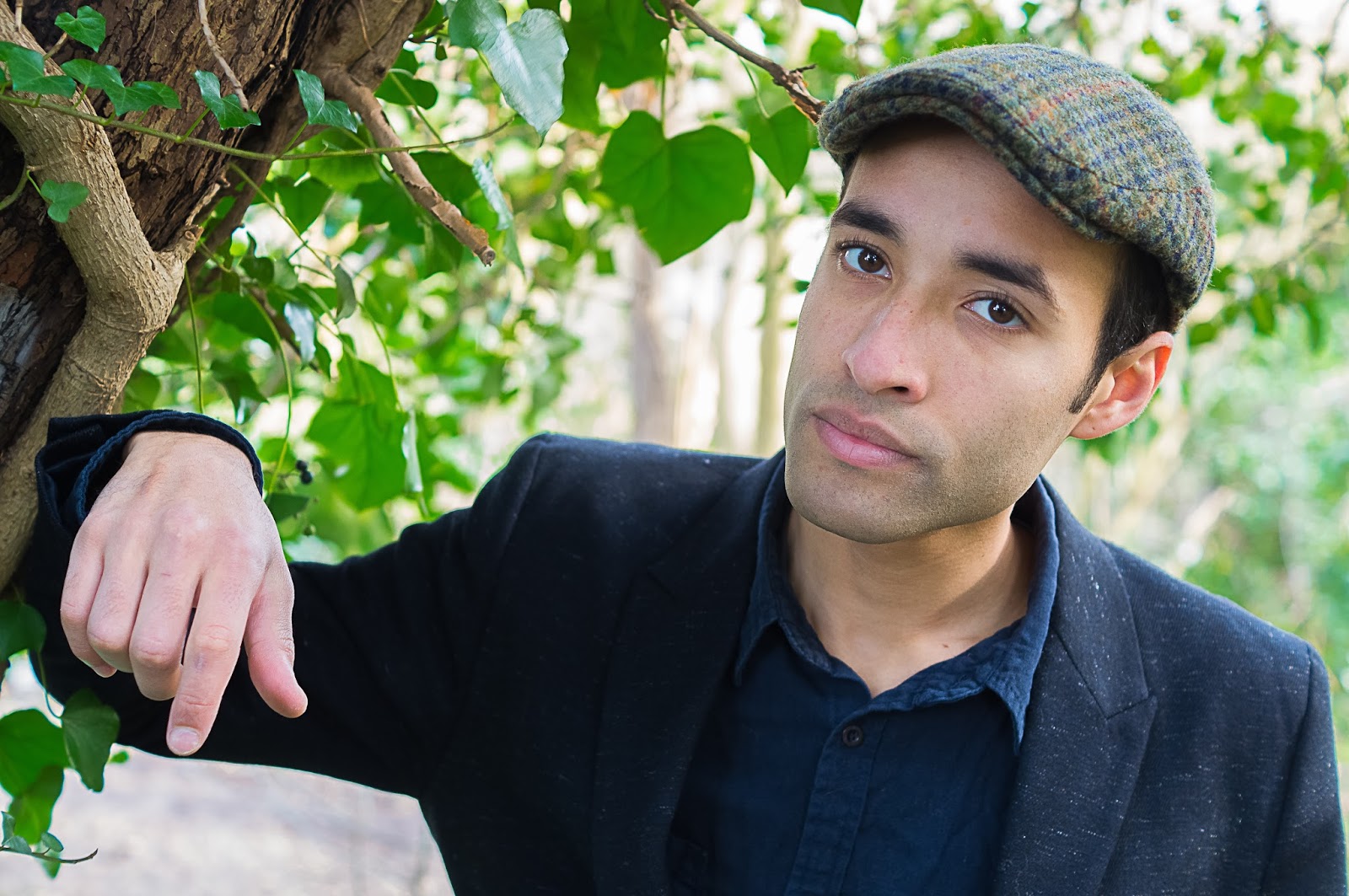
Image 4 (High Pass Filter Sharpening)

   I found that there was a dramatic increase in sharpening, which I had expected. However, there were not many artefacts, which was good to see considering the amount of sharpening. There weren't many artefacts in the on-screen image either though but crucially, the print of Image 4 looked a bit 'cleaner' than the on-screen image, while still retaining visibly more detail compared to the other three prints.

   If I had to choose a print to actually use out of the four printed I would probably choose the third image because of the slightly smoother skin seeing as the photograph was a portrait. If it had been a landscape however, I would choose the fourth image's sharpening values (although the degree would be a little less drastic).

   In conclusion for this sharpening for print exercise, I've found you can aggressively sharpen and retain more detail but at relative print size in relation to pixel density, without compromising in the form of perceivable artefacts. To add to that, depending on which processing software/printer you use, from my experience, the prints do not come out as sharp as seen on the computer screen. Therefore it is beneficial in my opinion to ‘over sharpen’ if the image is intended to be printed. This also means you have to be wary of not using the ‘print version’ for web use as the onscreen image appears sharper in my eyes compared to the corresponding prints.

Thursday, 28 November 2013

Reflections After Assignment 4 for DPP - Real or fake?

I found this part of the course - Real or fake? to be thought-provoking in that it made me think outside the box, where I really began to question what made a photograph work, or even what a photograph should consist of. I found I had to really think about my ideas and then analyse them while I was carrying them out in order for the photographs to work well.

   The exercises were completed thoroughly, I felt and since each exercise grew in the amount of manipulation of each image, I challenged realistic rendition more and more. This increase in manipulation prepared me well for the assignment - not only in a practical sense, where I learnt a lot more about correcting and altering. As well as this, I was questioning my ethical limits and ascertaining where the assignment would fit for me amongst these questions of manipulation.

   I thought I created some well-composed images during the exercises and they built up nicely to the assignment where in my opinion my creativity was really apparent. My communication of my ethics was good all through 'Real or fake?', which I thought was crucial seeing as it would have implications for future projects and this assignment.

   I tried to keep the basics right for the exercises leading up to the assignment, as well as the assignment, while embellishing them wherever I felt I could. In the assignment and last exercise in particular I felt I was creative in how I went about making the final photograph for the assignment.

   I did carry out some research; although most was practical and only a little based upon concepts in photographic theory. If I was honest I would say this area could be improved on for the next assignment as I had been reading lots of material. In terms of critical thinking I had been reading books, one of which I had referred to in the assignment post, which helped make coherent my reasoning for including certain objects in the scene.

   Overall, I felt I met most of the criteria successfully but I realised that research was a key area to which I should pay more attention. However, I was pleased with the final photograph for the assignment and felt the exercise leading up to it was integrated well.

Assignment 4 - Real or fake?

I have recently been reading a book by David Bate called 'Photography: The Key Concepts'. I haven't got far into it but already I have found it very thought-provoking and challenging. It has helped me to get lucid ideas about how a photograph is perceived by the viewer; mainly through the subject of semiotics.

   For instance I tried to use a principle in semiotics (connotations), with my choice of objects within the scene. The objects chosen would widely be seen as intrinsically related to the world of social networking. However, they would also be nondescript enough for the viewer to at first glance overlook them. Then the rhetoric of the scene would become clear and these objects would take on new meaning and become symbolic as a source of widely-accepted social networking material.

Photograph 1 - Before the Addition of a Person and the Title
   Bate (2009) argued: 'Different genres of photography tend to emphasise different combinations of codes'. I gathered from this that codes could influence the meaning of objects in a scene based on what genre of photography the objects were seen to be a part of. So, because my final photograph for the assignment was an environmental portrait/tableau photograph, the objects took on new meaning when seen as part of a photograph of these genres. This was provided the viewer could relate to the objects used (signifiers) and the genre of photograph to make a signified meaning.

   I felt having a rhetoric element for the photograph was important because if used as a magazine cover, the photograph would need to be persuasive once capturing the viewer's attention in order for it to be successful. So the consistent use of objects with social networking associations helped tie the photograph somewhat to the last exercise - the objects were the same. They included: a newspaper, magazine, smartphone and laptop. The headphones the model was wearing were also consistent. They were clearly visible from both this shot, where the headphones were viewed from behind and to the side, as well as the last exercise, which of course featured in this shot (on the computer screen). The headphones also supported the youth of the model and were a signifier that the photograph and model were in modern times.

   The reason as to why I chose to highlight this sort of issue: Is Social Networking Too Immersive? was because I was interested in how a lot of people now use social networking heavily in their lifestyle. A question I was asking myself consisted of: 'What purpose do Social Networking Sites serve?' My answer to this was: at the least they could act as a virtual mirror; reflecting back usually our ideal self. At the most they could help careers and lifestyle greatly. However, they could also be addictive and time-consuming. So I tried to reflect these issues, especially 'acting as a virtual mirror' in the photograph. In this regard I felt I was successful; the 'reflection' on the computer screen clearly acted as a mirror with the social networking sites' logos placed around the model's face making it apparent what was causing a virtual mirror.

   The logos for me were an important part of the final photograph and stood out clearly against the dark background and computer screen. This was due to two aspects of how they were displayed. Firstly, they were printed big and in high resolution. Secondly, they gained a '3D look' by attaching them to the computer screen with a cardboard mount so they stuck out visibly. I felt the logos played a bit with reality; they leapt out the viewer and looked obvious, while other parts - like the model's reflection in the computer screen were more subtle and in direct contrast.


   This introduced probably the most salient feature of the final photograph, which was the computer screen, or rather what featured composited inside it; namely the model's 'reflection'. This was in contrast to the '3D' logos because it was immersed in the computer screen rather than jumping out. Interestingly, I used the same image as for the last exercise but only part of the model; his face composited on the screen. By including part of an image from a photograph where a part of that image is later removed begged the question: is social networking so immersive that we disappear from one setting only to ‘live' inside another - a computer?

Photograph 1 - the Finished Photograph for Assignment 4 - Real or Fake?
   In order to merge the two images together successfully I copied the face from the last exercise onto the photograph that included the computer screen. Then I repositioned it using the 'Move' tool in Adobe Photoshop until the model's face was over the middle of the computer screen. Then I created a layer mask and using a soft brush painted away (on the layer mask) everything apart from the model's face and headphone's and a bit of his neck and shoulders until only they were visible. After that I painted away in more detail (by zooming in to 100%) the finer edges and gaps so it looked seamless. Finally, I reduced the opacity of the layer down to 78% so he appeared more 'immersed'.

   In terms of lighting I used two flashes. The first one was set to medium power with no diffusion. This was to light the table and the model's face from the right-hand side. The second was another flash set to medium power but this time with a 'Rogue Flashbender 3-in-1 Stacking Grid System' attached. This had the effect of creating a subtle spotlight, illuminating the contents of the table and the model's hands.

   The angles I thought were constructed well with the actual unprocessed shot consisting of the model looking (at a slight angle) towards the computer screen. This was then continued with the composited photograph from the last exercise blended into the computer screen itself so the model was 'mirrored back’ towards the viewer. It was deliberately a ploy to capture the viewer’s attention with the eye contact from the models’ reflection. It also raised the question whether the computer screen was acting as a mirror or the social networking sites were creating a pseudo mirror.

   As a final touch, I used the 'Horizontal Type Tool' in Photoshop to write: 'Is Social Networking Too Immersive?' and placed this text over the small laptop to the right of the computer. I then rotated this text and reduced the opacity of the layer to 72% so it blended in to the laptop and overall image a bit more. The fact that the laptop was facing the camera acted as an eye-catching device, which was important seeing as this would be the title of the magazine cover.

   I would say this image was on the borderline of what I found acceptable for me and what I would be comfortable for my prospective viewers to see. Everything looked real in my eyes apart from the social networking logos, which only looked unorthodox because I had intentionally made them stand out from the computer screen so much. Also the title message on the small laptop was very evident but this was purposeful also. Because the message on the laptop was also the title of the magazine, this made it fine to include in the final image. However, this was on the basis that the image would be used as a magazine cover. If that were not the case I would have made the message layer a lower opacity to make it blend in more or have done away with the message and simply turned the laptop on.

Bibliography for Reality and intervention

Antoni, J. (2009), Inhabit, Photographs. The Photographers' Gallery, London.

Bainbridge, S. (ed.) (October 2013), British Journal of Photography, Volume 160, Apptitude Media Limited, 9 Beaumont Gate, Shenley Hill, Radlett, Herts, WD7 7AR UK.

Bainbridge, S. (ed.) (November 2013), British Journal of Photography, Volume 160, Apptitude Media Limited, 9 Beaumont Gate, Shenley Hill, Radlett, Herts, WD7 7AR UK.

Bate, D. (2009), Photography: The Key Concepts, Bloomsbury Academic 2012, 50 Bedford Square, London, WC1B, 3DP.

Brotherus, E. (2009), 'Annunciation', Photographs. The Photographers' Gallery, London.

Casus Broda, Ana. (2006-13), 'Kinderwunsch', Photographs. The Photographers' Gallery, London.

C. Cotton (2009), the photograph as contemporary art – New Edition 2009, Thames and Hudson, London WC1V, 7QX, 2009.

Freeman, M. (2011), The Digital SLR Handbook - 3rd Edition, The ILEX Press Limited, 210 High Street, Lewes, East Sussex, BN7 2NS.

Gulbins, J and Steinmueller, U. (2011), The Digital Photography Workflow Handbook, Rocky Nook Inc., 26 West Mission Street, Ste 3, Santa Barbara, CA 93101.
Miele, J. (2013), 'Photoshop Gradient Tool: Blending Images', Digital Photography Review [Online] Available at:
(http://www.dpreview.com/articles/8469529453/photoshop-gradient-tool-blending-images/2) (accessed on 18th November 2013).

Miele, J. (2013), 'Photoshop Gradient Tool: Part 2 - Adjusting Images', Digital Photography Review [Online] Available at: (http://www.dpreview.com/articles/2268382985/photoshop-gradient-tool-part-2-adjusting-images/2) (accessed on 9th November 2013).

Reference Page - Reality and intervention

Antoni, J. (2009), Inhabit, Photographs. The Photographers' Gallery, London.

Bate, D. (2009), Photography: The Key Concepts, Bloomsbury Academic 2012, 50 Bedford Square, London, WC1B, 3DP, Page 34.

Brotherus, E. (2009), 'Annunciation', Photographs. The Photographers' Gallery, London.

Casus Broda, Ana. (2006-13), 'Kinderwunsch', Photographs. The Photographers' Gallery, London.

Miele, J. (2013), Photoshop Gradient Tool: Blending Images', Digital Photography Review [Online] Available at:
(http://www.dpreview.com/articles/8469529453/photoshop-gradient-tool-blending-images/2) (accessed on 18th November 2013).

Miele, J. (2013), 'Photoshop Gradient Tool: Part 2 - Adjusting Images', Digital Photography Review [Online] Available at: (http://www.dpreview.com/articles/2268382985/photoshop-gradient-tool-part-2-adjusting-images/2) (accessed on 9th November 2013).

Altering an Image to the Extreme

In this last exercise I attempted to completely remove a key component of an image; namely a person, who was occupying roughly 1/6 to 1/8 of the frame. This, I anticipated would test both my skills in Adobe Photoshop but also my sense of ethics in questioning whether it was acceptable, to both me and my prospective viewer, for me to alter an image so radically.

   I carefully chose a scene featuring objects that I could cut and paste and so duplicate after the image had been taken. Also I was looking for patterns in foreground/background surfaces, with my intention being I could continue the pattern into where the person had been.

Photograph 1 - Before the Removal of the Person
   I finally decided on a setting of a kitchen with the person sitting on a chair with his upper body taking up roughly 1/6 to 1/8 of the frame. The kitchen table had a pattern on its surface where the hexagons tessellated, which I felt offered the opportunity to carry on over where the person's hands had been resting. Similarly, the tiles behind his head in the form of squares could usefully be continued on after I removed him from the shot.

   Lastly, a side note for this shot, was the subtle inclusion of some objects lying around in the foreground. These featured a laptop, a smartphone, a magazine and a newspaper. While these might not have seemed the most remarkable of objects to purposefully include in a scene, they added a bit of interest to the foreground when the person was removed and would play a much more prominent role in a planned upcoming photograph.

   I decided to perform the larger tasks first, which included copying and pasting large elements such as an adjacent chair onto a new layer inside Adobe Photoshop, over where the person had been so there were now two chairs, rather than a chair and a person sitting in a chair. I chose to carry out these tasks first because I thought they would be tougher to get right, while the smaller replacements and tweaks would be simpler.

   Contrary to my assertions, I found the smaller tasks more problematic than the larger, copying and pasting tasks. With the large tasks I simply cut and pasted objects and then repositioned and or resized them (the chair for example) until I felt they looked realistic and suitably hid the layer where the person had been. Then I completed the medium-sized tasks mostly using the clone stamp tool, which I found invaluable in extending patterns like the tessellating hexagons on the table and the tiles in the background.

   It was when I started to try to make smaller amendments like getting colour consistencies right or adjusting small areas of the image that I ran into a bit of trouble. This primarily consisted of not being able to find the right tool inside Adobe Photoshop to rectify these problems and so make the removal appear seamless. Eventually, after much trial and error I found using the 'Healing Brush' tool in either 'Normal', 'Replace' or 'Luminosity' modes usually solved my more minor alterations and if they didn’t using the clone stamp tool was a good alternative.

Photograph 1 - After the Removal of the Person
   Also I found it very useful to zoom in to make critical adjustments and then zoom out again to better observe whether these adjustments looked seamless. The idea of 'seamlessness' was quite key to me in this process of removal. I did question at times the validity of going out of the way to make the removal seem seamless - wasn't I trying to 'lie' to the viewer by using such techniques to produce this seamless removal? In the end, looking at the image with the removal of the person such that I myself was satisfied with this 'lie', I decided that it was indeed too dishonest for my tastes. This was dependent on how I would intend for the image to be seen but in most circumstances I could imagine, it would be infringing on the 'truth' that viewers of photographs generally take for granted when looking at one.

   In conclusion, I’ve found digital processing from the innocuous to the extreme can sneak up on you without you realising. From editing a few pixels to a sixth/eighth of an entire photograph, I’ve learnt seemingly minor changes can combine together to change an image completely. Therefore it is important to be wary of when you as the photographer feel you are bordering on the limits of what you and your prospective viewers find acceptable. I would try to bring what I'd learnt from these thought-provoking exercises into my assignment for 'Reality and intervention'.

Monday, 18 November 2013

Merging Two Photographs Together to Create a Single Photograph with the ''Best' of Both Worlds' in Terms of Dynamic Range

Photograph 1 (Exposed for the Land)

Merging two photographs together to produce a natural composite of the two, with greater dynamic range than either photograph would have by itself, was a part of digital photography I had been interested in for a while now. This was mostly because it more closely resembled any given scene where the dynamic range was higher than considered average, which the human eye would be able to register. This was in contrast to the photographic medium where a single exposure (especially on digital) would not. This was an example of how a photograph could capture a moment in time, which resembled something easily recognisable by humans but that actually defied a camera's physics of limited dynamic range, all in an attempt to make the photograph more believable to the viewer. I would be aiming to make photographs which tried to play with reality rather than replicate it, most probably through similar kinds of techniques in future projects. Therefore I was pleased to find I would be experimenting with this kind of processing in an exercise.

Photograph 2 (Exposed for the Sky)
 
   I chose a slightly different approach to merging the lighter and darker exposures than as that suggested. This approach namely involved the use of a gradient on a layer mask. Initially, my reasoning for using this approach was that it would provide a quicker and more seamless result to that of erasing the over-exposed sky (Photograph 1) and pasting the well-exposed sky (Photograph 2) in its place.

Photograph 3 (Photograph 1 and 2 Blended)
   The gradient approach would be quicker in this instance because it involved only drawing a short gradation from the land features including the horizon to the new sky using the gradient tool on layer mask. I predicted it would work well in this instance because it was a very flat horizon; with no features ‘jutting out’ from the horizon. I predicted it would be a more seamless approach after reading about this methodology on a website article by Jean Miele on Digital Photography Review specifically concerning using gradients to achieve ‘feathered, believable transitions’ - Miele (2013). The effect was seamless because of the small (or large) gradation from black to white in the layer mask, which had the result of a grey band in between, which served the purpose of mixing the land (particularly the horizon) in Photograph 1 and sky in Photograph 2 together naturally.

   Another reason I favoured this approach was that it could be adjusted easily afterwards by either redrawing the gradient in the mask and/or painting on the layer mask to ‘mask out’ any horizon discrepancies. However, because the horizon was so flat in this case that step was not necessary.

Photograph 4 (Dynamic Sky)
   I found this worked well and was very efficient in blending the sky and land together (Photograph 3). I did have to raise the position of the transition between the sky and the land in the gradient's layer mask because although the transition was smooth, the horizon suffered a bit from too much of the brightness of the land layer coming through with the effect of it looking 'hazy'. By changing the position of the transition a bit higher this problem was quickly amended. Overall I found this blending of two photographs taken close together to be effective and it didn't pose any ethical questions for me mainly because the scene remained how I saw it at the time.

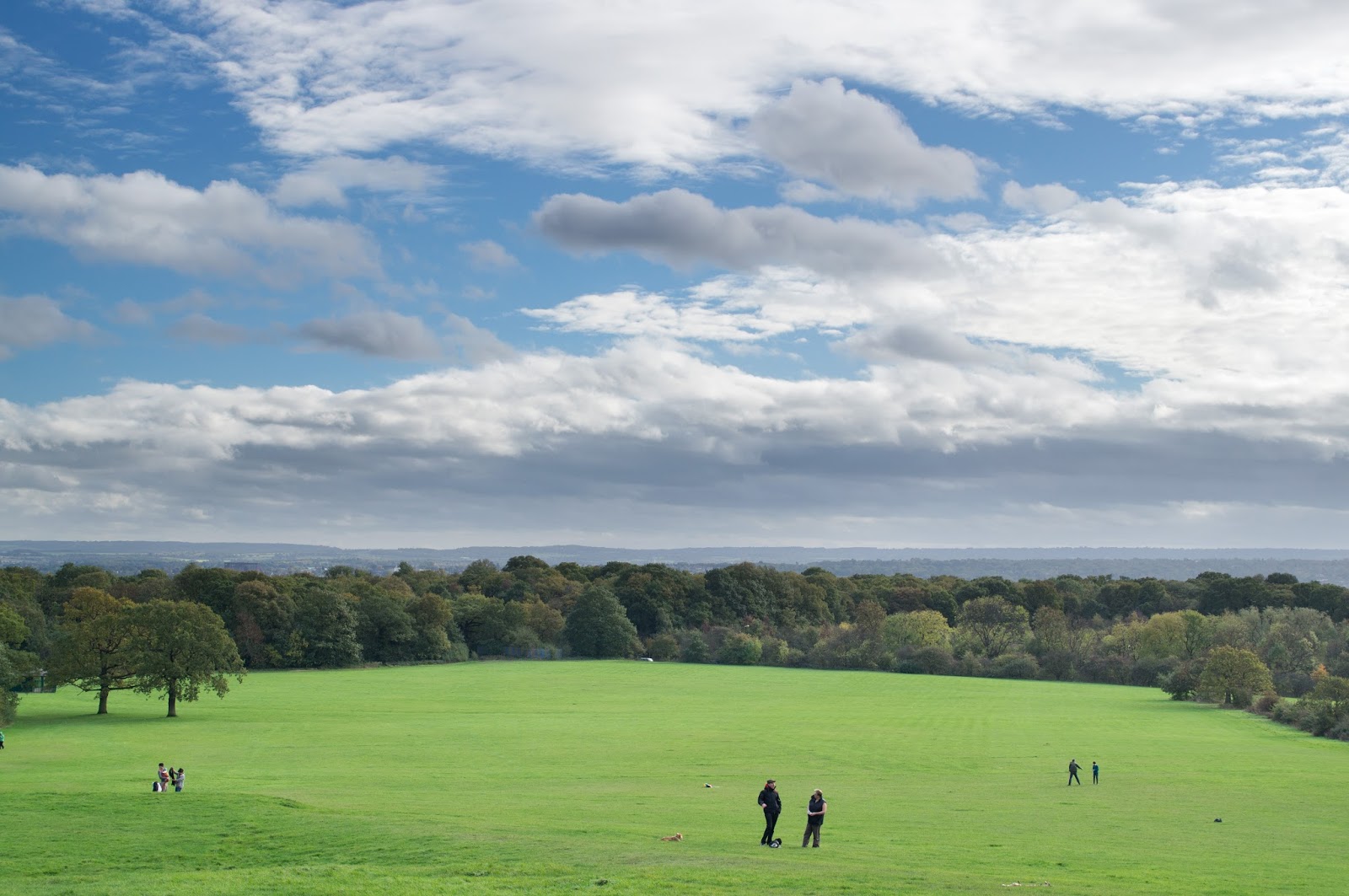
   When I was satisfied with the appearance of this composite I attempted to replace the entire sky from a sky taken within a few seconds of the landscape-exposed image to a sky captured three years ago (Photograph 4). Firstly, I was quite skeptical about the ethics and indeed the believability for any prospective viewers, that I could foresee in replacing a vast amount of an image with something taken at such a radically different moment in time. While I remained unsure about the ethics surrounding creating a composite like this, I appreciated that the end result did appear much more dramatic and even impressive than the pretty unremarkable, well-exposed sky that was taken a only few seconds after the well-exposed land segment of the image, which had come together in Photograph 3.

   The end-result (Photograph 5) was again achieved through using gradients but this time, because the (much more impressive) clouds were so low to the horizon, I had to employ an additional technique in order to make the horizon and clouds blend into one another well. This technique was namely dodging, which I performed on a separate neutral-grey layer with soft-light blending on top of the clouds layer (with a clipping mask applied so only the clouds were affected). I used this method for dodging as it provided me with the opportunity to amend the intensity of the dodging if I so wished afterwards. Another technical detail was 'masking out' some of the cloud details that were just present in the grey transition between the black and white gradient on the layer mask. This was also because the cloud formations were so low to the horizon. All this meant the process wasn't as quick and easy as adding in the first cloud-exposed image but I found the extra steps included were necessary to make the clouds from Photograph 4 fit in more believably.

Photograph 5 (Photographs 1 and 4 Blended)
   I would say this deliberate addition of one part of a completely separate image to replace another part of a different image was definitely bordering the limits as to what I found acceptable. This was mainly because I knew myself as the photographer that these two photographs had been taken with a space of three years between them. Therefore, the final scene I could see on my monitor of the landscape scene with a totally different sky (Photograph 5) was of course definitely not how I remembered it as I had taken it, which was usually one of my criteria for whether a final, processed image was in 'good taste'. Had I been the viewer of such an image and the image was purported to have been shot at the same place and roughly the same time (i.e. an High Dynamic Range image), I would probably have accepted the photograph as 'real' and have been impressed by the dynamic clouds in particular. It would be here that I would see the photographer as becoming responsible for claiming falsely the 'legitimacy' of the photograph depending on how it was intended to be used.